About Word Search
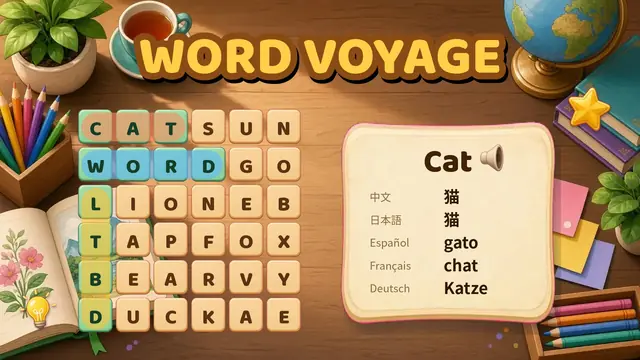
Word Search is a calm, classic word search puzzle made to be easy on the eyes. The letters are big and clear on a soft paper-colored card, and you can switch to a sepia or dark theme and make the text even larger in Settings. There is no countdown and no way to lose: find the words at your own pace, put your phone down and carry on later, because your puzzle is saved on your device.
To circle a word, slide your finger across its letters. The selection snaps to straight lines, so a slightly wobbly finger still works, and you can also just tap the first letter and then the last. Each word you find gets its own pastel highlight, is crossed off the list with a gentle chime, and when the last word is found the board glows softly.
Choose from 39 hand-picked themes such as Garden, Birds, Kitchen, Tea Time, Knitting & Crafts, At the Seaside, Classic Pastimes and European Cities, or let the game surprise you. Easy puzzles use an 8 by 8 grid with words running across and down. Medium adds diagonals on a 10 by 10 grid, and Hard hides words in every direction, even backwards, on 12 by 12. Every puzzle is generated fresh, so you will never run out.
Every day there is a free Daily Word Search that is the same for everyone. Solve it to build your streak, see your solved days on a calendar and share your time with friends and family.
How to play Word Search
- Look at the word list under the grid. Every word is hidden somewhere in the letters.
- Slide your finger from the first letter of a word to the last to circle it. You can also tap the first letter, then the last.
- Found words are highlighted and crossed off the list. Find them all to finish the puzzle.
- Pick Easy, Medium or Hard and a theme on the home screen, or play the Daily puzzle. On a computer, click and drag with the mouse.
Features
- Big, high-contrast letters with Light, Sepia and Dark themes
- Adjustable text size from S to XL
- No time limit and no fail state; an optional timer if you like one
- Drag across a word or tap its first and last letter
- Forgiving selection that snaps to straight lines
- 39 family-friendly themes with over 1,000 words
- Easy 8×8, Medium 10×10 with diagonals, Hard 12×12 with backwards words
- Unlimited new puzzles
- A free Daily Word Search with streaks and a calendar
- Free hints that show where a word starts
- Your puzzle is saved automatically, so you can stop any time
- Soft chimes you can turn off
Tips and tricks
- Scan for unusual letters first. A Q, Z, X or J stands out and is often part of a word.
- Look for double letters such as the LL in Shell or the OO in Spoon.
- On Medium and Hard, check the diagonals. On Hard, words can also run backwards and upwards.
- Stuck? Tap the 💡 hint button to see where a word starts. You get 3 free hints and a new one every 5 minutes.
- Need bigger letters? Open ⚙️ Settings and choose L or XL, or switch to the Sepia or Dark theme.
Word Search FAQ
Is this word search free?
Yes. Word Search is completely free to play online in your browser, with no download and no account.
Is there a large print word search?
Yes. The letters are big by default, and in Settings you can choose an extra large text size and a high-contrast Light, Sepia or Dark theme.
Is there a timer?
No, not unless you want one. You can turn on a timer in Settings. Your solving time is still shown when you finish.
What is the Daily Word Search?
A new puzzle every day that is the same for everyone. Solve it to keep your streak going and share your result.
Can words go backwards or diagonally?
On Easy, words run across and down only. Medium adds diagonals, and Hard hides words in all eight directions, including backwards.
Will I run out of puzzles?
No. Puzzles are generated fresh from 39 themed word lists, so there is always a new one.
Is Word Search free to play?
Yes. Word Search is completely free and runs in your web browser. There is nothing to download and no account to create.
Can I play Word Search on my phone?
Yes. Word Search is designed for phones first (portrait, one hand) and also works on tablets and desktop computers with a mouse.
Is my progress saved?
Your progress and unlocked levels are saved in your browser on this device (local storage). Clearing your browser data resets it.